Graph settings49 / 68
Presets, saved views & live preview
Keep several useful camera and presentation setups with one graph.
Find itGraph settings → Views
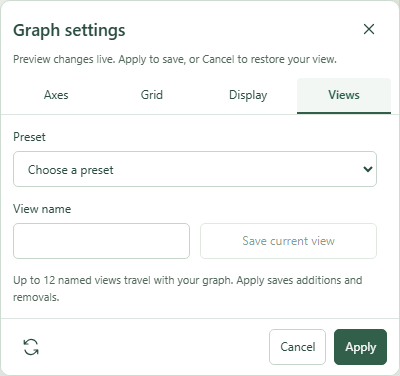 Graph settings: Views with the relevant options expanded.Click to enlarge ↗
Try it step by step
- Try an available preset such as Trigonometry, Statistics, Presentation, Print or Complex plane.
- Adjust the settings to suit your graph.
- Enter a view name and select Save current view.
- Apply to retain changes, including additions or removals from saved views.
Options explained
- Presets
- Provide starting settings for common tasks. Inspect the preview before applying.
- Named views
- Save up to twelve views with the graph. Load or remove them from the list.
- Live preview
- Changes are previewed on the canvas while the dialog is open.
- Apply
- Commits the edited settings as one document change.
- Cancel / close
- Restores the previous view rather than keeping the preview.
- Restore defaults
- Resets the settings draft; apply it if you want to keep the defaults.

