
Skip to guide content
Graph Studio by NUM8ERSStudent guideOpen calculator
LEARN · TRY · EXPLORE

Analyze & calculate45 / 68

Complex-plane transformations

See a complex number and its transformed value as vectors, with modulus and argument.

Find it

Analyze → Complex-plane tools
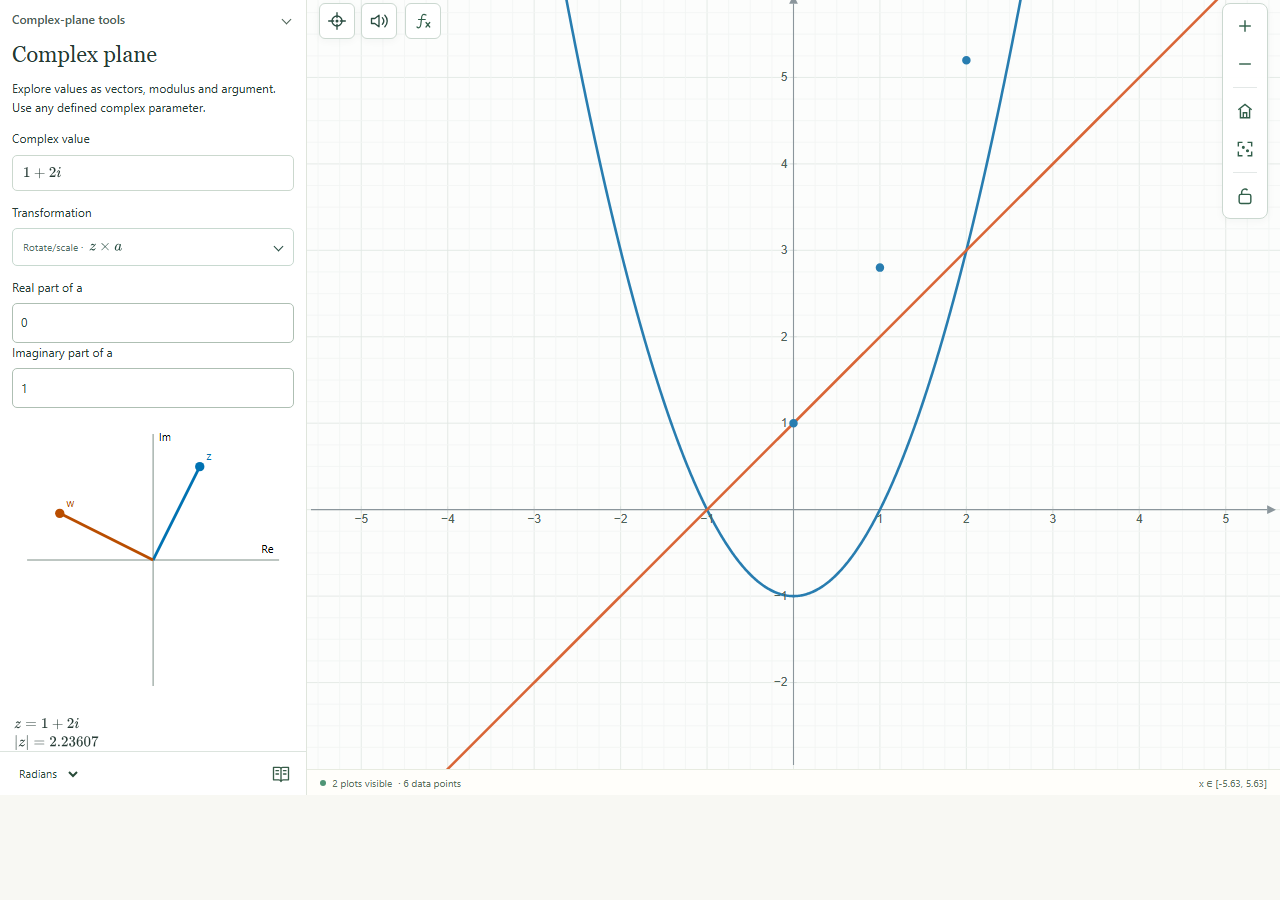
Complex-plane tools expanded in the Analyze panel.
Complex-plane tools expanded in the Analyze panel.Click to enlarge ↗

Try it step by step

  1. Enter a finite complex value or a defined complex parameter.
  2. Choose a transformation.
  3. For translation or multiplication, enter the real and imaginary parts of a.
  4. Inspect the vectors and values; add the transformed value or show complex values on the main graph.

Options explained

Translate
Adds a to z.
Rotate/scale
Multiplies z by a, changing its direction and magnitude.
Reflect
Takes the complex conjugate.
Square
Calculates z².
Reciprocal
Calculates 1/z; zero has no reciprocal.
Modulus / argument
The tool shows magnitude and angle; angle units follow the document mode. The argument of zero is undefined.
Add transformed value
Adds the calculated value as a new expression.

Screenshot

Copy this text

Your browser could not copy automatically. Select and copy the text below.