Data & statistics21 / 68
Create and edit a table
A table connects numerical values to plotted points. Each row is an observation.
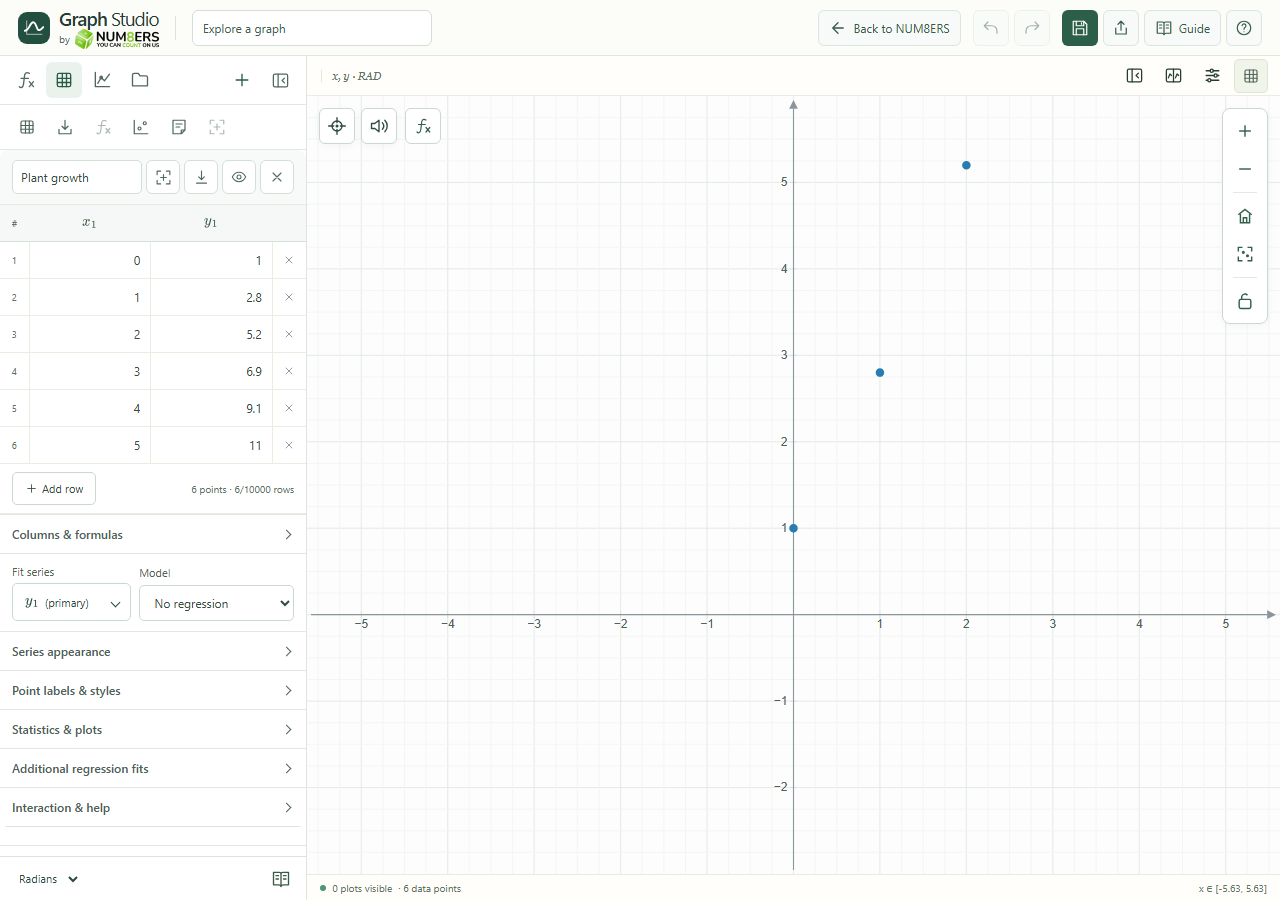 A named table with editable columns, row controls and regression selection.Click to enlarge ↗
Try it step by step
- Name the table and enter x and y values.
- Press Enter to move to the next editable cell. Use Add row for another observation.
- Paste a rectangular block from a spreadsheet into adjacent manual cells.
- Use the table’s Zoom Fit control to locate its points on the graph.
Options explained
- Title / column names
- Use a descriptive title. Mathematical column names such as and are lists that can be used in expressions.
- Cell values
- Manual cells accept numbers and supported scalar expressions such as , or .
- Header controls
- Zoom Fit finds the table; Export CSV downloads rows; the eye toggles visibility; the close button removes the table.
- Delete row / pagination
- Remove an individual row or move between row pages. Calculations and CSV export use all rows, not just the visible page.
- Blank / invalid cells
- Missing cells break connecting lines. Diagnostics identify cells that need attention.
- Capacity
- A document supports eight tables and 10,000 numeric rows per table. At most 2,000 visible markers per series are drawn; zoom in to inspect more.

