
Skip to guide content
Graph Studio by NUM8ERSStudent guideOpen calculator
LEARN · TRY · EXPLORE

Expressions & functions11 / 68

Lists, points & curve families

Lists let you calculate many values together, plot collections of points and compare a family of curves.

Find it

Expressions
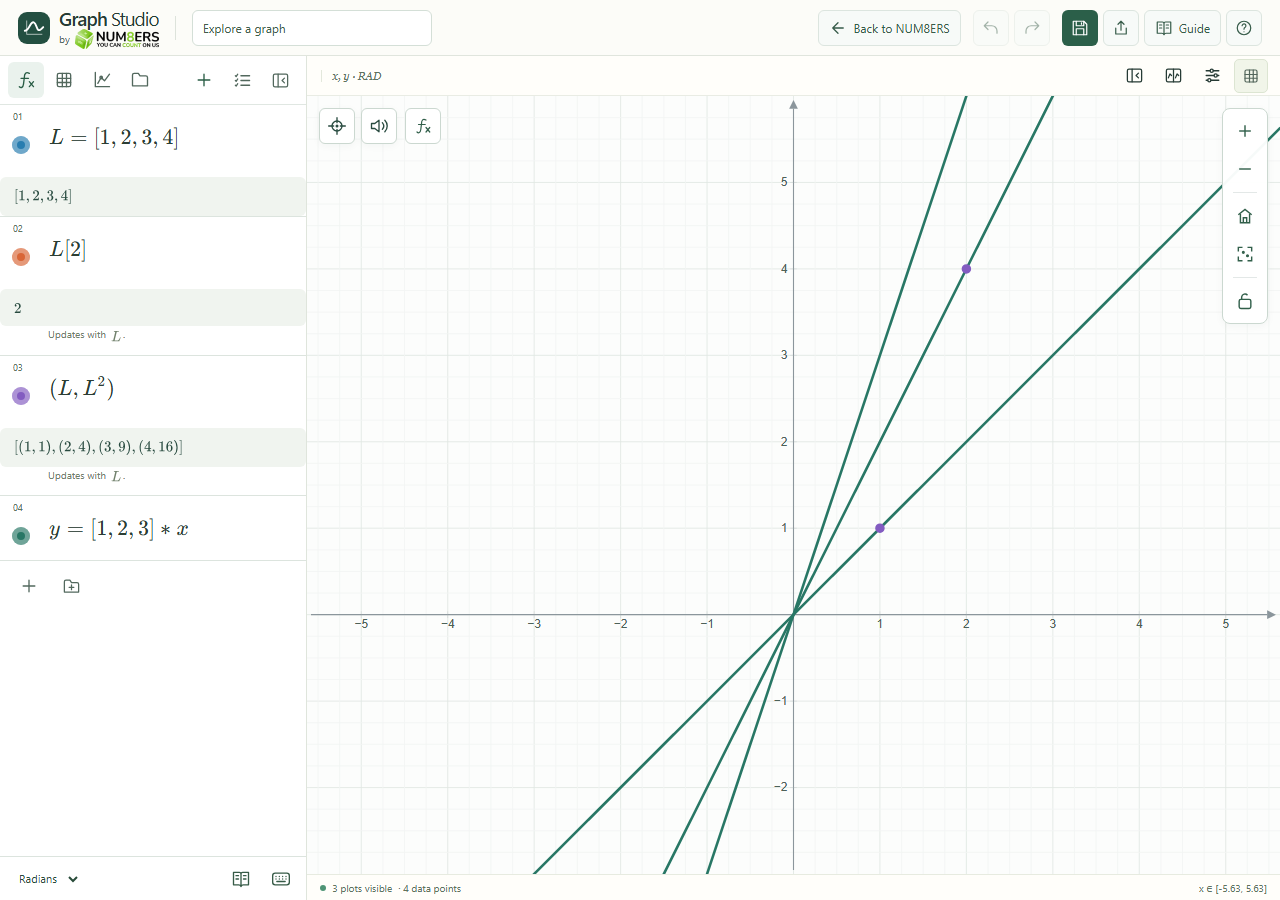
A list, one indexed value, a point list and a family of lines.
A list, one indexed value, a point list and a family of lines.Click to enlarge ↗

Try it step by step

  1. Define a list with square brackets.
  2. Use an index to retrieve an entry, or apply supported operations to the list.
  3. Combine x and y lists to draw point pairs.
  4. Use a short list of parameter values in an expression to draw a curve family.

Examples to try

Each card is one input. For definitions, enter the cards in order. Formula-only cards belong in the tool described above.

A named list.

The second entry is 2.

Plot each list value against its square.

Compare three line slopes.

Options explained

List entries
Use explicit entries or supported ranges such as . List indexing starts at 1.
List calculations
Supported arithmetic and functions operate on list values. Matching shapes matter; incompatible lengths produce a diagnostic.
Nested lists
Lists may contain lists. A nested list is not automatically a matrix.
Point lists
Coordinate pairs and compatible coordinate lists can create multiple points.
Curve families
Several values can produce several curves from one expression. Up to 64 curves per expression and 256 per document are allowed.
Random, shuffle and repeat
Use these to create or reorganize samples; see Random samples for reproducibility.

Screenshot

Copy this text

Your browser could not copy automatically. Select and copy the text below.