Explore the graph16 / 68
Pan, zoom & focus
Move the camera to inspect a graph without changing the equation.
Find itGraph canvas and right-side toolbar
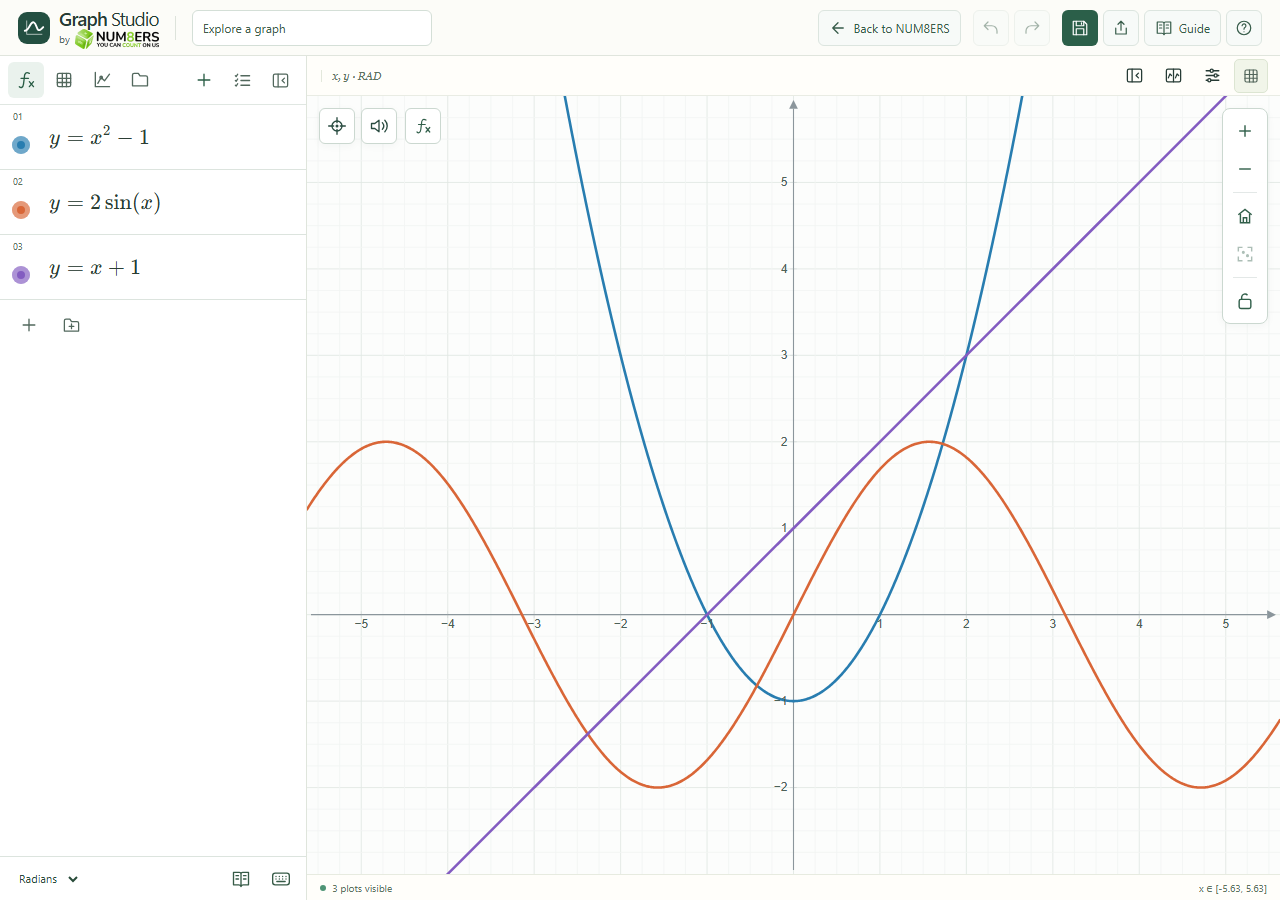 The four sidebar tabs, expression rows and graph toolbar in the desktop workspace.Click to enlarge ↗
Try it step by step
- Drag an empty area to pan. Scroll or use the + and − buttons to zoom.
- Use the home/reset-view control to return to the standard window.
- Use Zoom Fit on a table or point when you want to locate its data.
- Enter focus mode for a larger canvas; leave it with its exit control or Escape.
Options explained
- Zoom controls
- Change the visible scale. Pinch gestures are available on touch devices.
- Reset view
- Restores the standard graph window. It does not delete expressions.
- Zoom fit
- Centers a supported set of finite points or an individual object. It is different from resetting the camera.
- Lock viewport
- Prevents accidental camera movement. Unlock it before trying to pan or zoom.
- Collapse sidebar / focus mode
- Collapse keeps other controls available. Focus mode hides the header and sidebar while you explore.
- Keyboard
- Focus the graph for its keyboard controls; use the shortcuts chapter for supported actions.

