Save, share & settings57 / 68
Read-only links & embeds
A read-only share is a fixed public snapshot. It is useful for submitting a graph or showing an example to a class.
Find itLibrary → Account, server saves & sharing
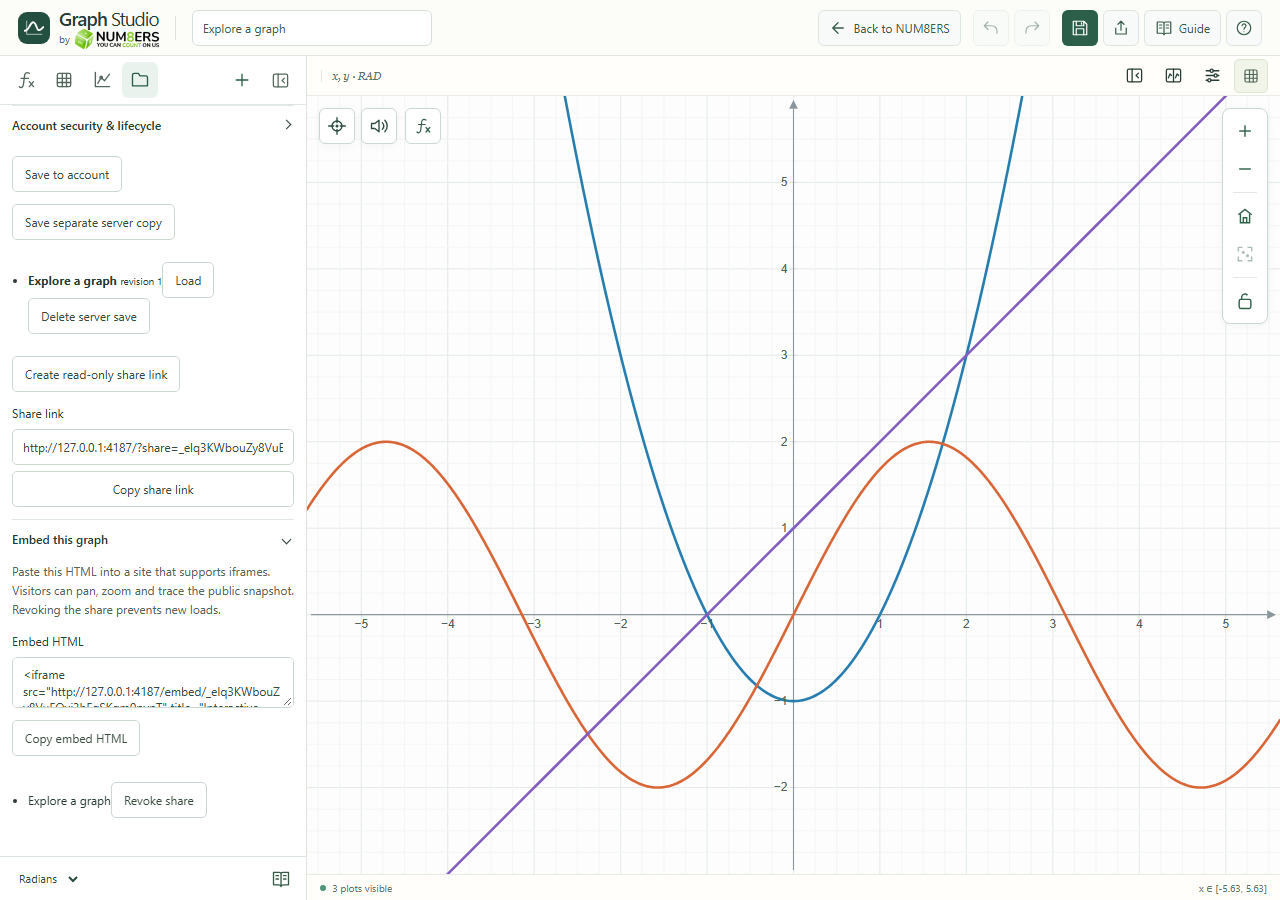 A demonstration read-only snapshot link and iframe embed code from the local account server.Click to enlarge ↗
Try it step by step
- Save the graph to your account.
- Choose Create read-only share link and copy the generated link.
- For a website that accepts iframes, expand Embed this graph and copy Embed HTML.
- Use Revoke share when you want to prevent future loads of that snapshot.
Options explained
- Public snapshot
- Anyone with the read-only link can read the snapshot. Later edits to your document do not automatically change it.
- Copy share link
- Copies the generated URL. Open it separately to check the version you are sharing.
- Embed HTML
- Provides an iframe snippet for a compatible website. Visitors can pan, zoom and trace the snapshot.
- Revoke
- Prevents new loads of that share; it cannot erase a copy someone already downloaded.
- Read-only versus edit link
- A read-only link presents a snapshot. A collaborative edit link gives authenticated editing access.

