Export your work64 / 68
Tactile SVG & text key
Tactile export provides a physically sized vector source and a text key for preparing a tactile graph.
Find itExport graph → More export options → Download tactile SVG
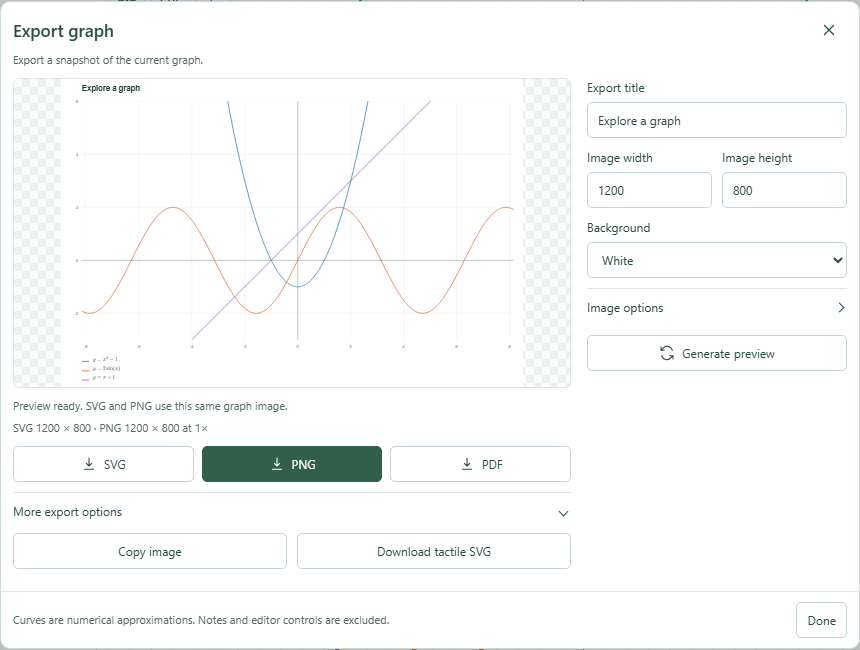 More export options include clipboard image and tactile SVG.Click to enlarge ↗
Try it step by step
- Simplify the graph to the curves and points needed for the learning task.
- Open Export graph and review the graph content.
- Download tactile SVG and keep its text key.
- Inspect omission and crowding notices before preparing a physical output.
Options explained
- Included geometry
- Up to six expression curves, dataset outlines and 200 separated point markers.
- Omitted content
- Images and fills are omitted. Extra or crowded items are reported.
- Physical sizing
- Use the intended physical size when preparing the output; arbitrary shrinking can make features hard to distinguish.
- Text key
- Keep the accompanying key with the graphic so the curves can be identified.
- Practical limit
- The export is source material for a tactile workflow; it does not certify a particular embosser or physical reading experience.

