Analyze & calculate42 / 68
Save calculations & solver inputs
Save the inputs for a calculation so you can revisit the same question after changing the graph.
Find itAnalyze → Saved calculations; Saved solver & integral inputs
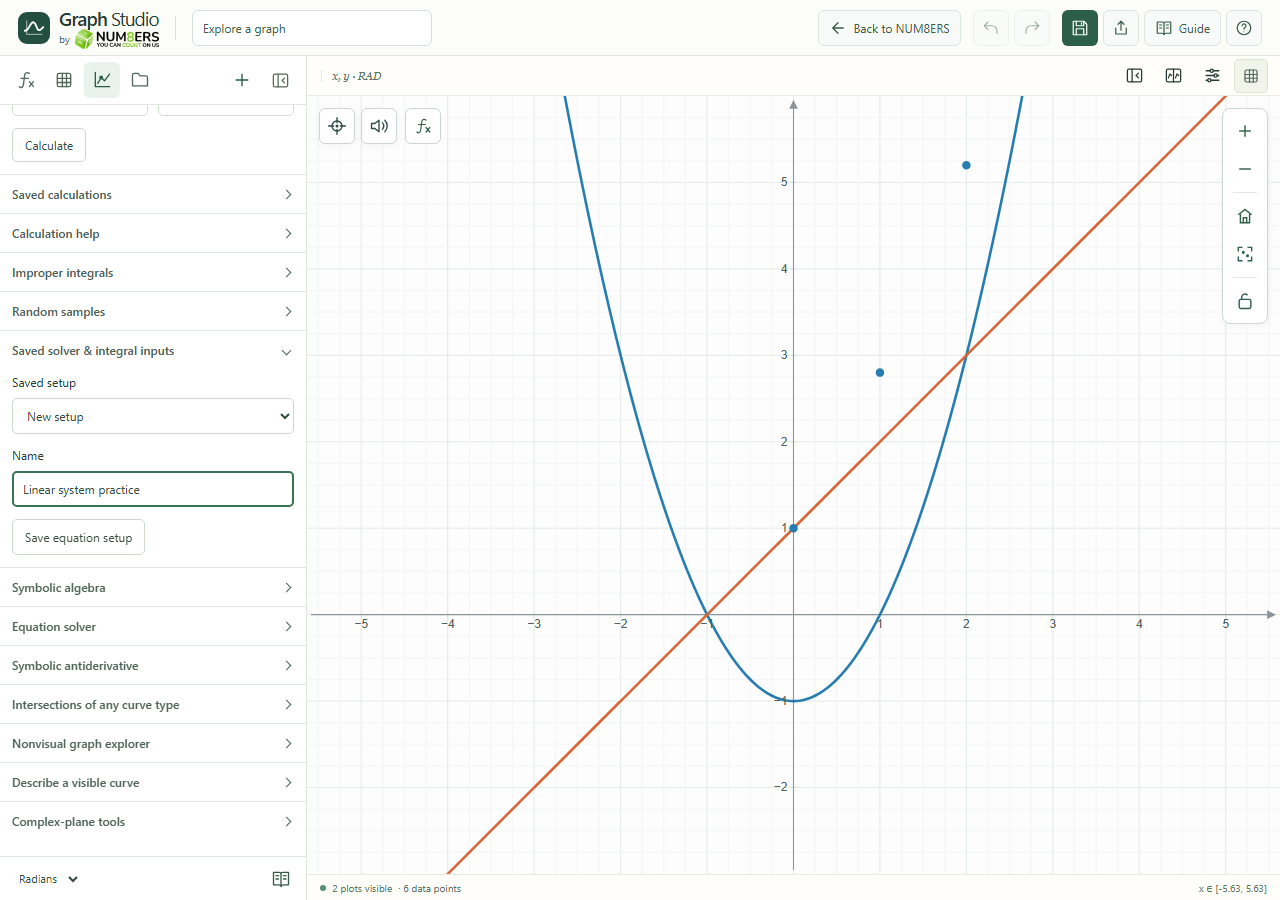 Saved solver & integral inputs expanded in the Analyze panel.Click to enlarge ↗
Try it step by step
- Configure a calculation, equation system or elementary antiderivative input.
- Open its saved-setup section and give it a descriptive name.
- Save the setup, then select it from the saved list when you return.
- Recalculate after loading; a saved setup is not a guarantee that an old result still applies.
Options explained
- Saved calculations
- Stores up to twelve main Analyze operations, sources and intervals. Save, update and remove controls manage them.
- Saved solver & integral inputs
- Stores up to twelve equation/elementary-antiderivative input setups, including names and the available solver fields.
- New setup
- Starts a fresh saved-input selection.
- Remove
- Deletes the selected setup from the graph document.
- Portable saves
- Setups travel with local saves, JSON and supported server saves. Canvas snapshots are a separate feature for frozen geometry.

