Accessible learning51 / 68
Audio trace
Listen to a curve’s height and left-to-right position while inspecting its coordinates.
Find itGraph → Audio trace
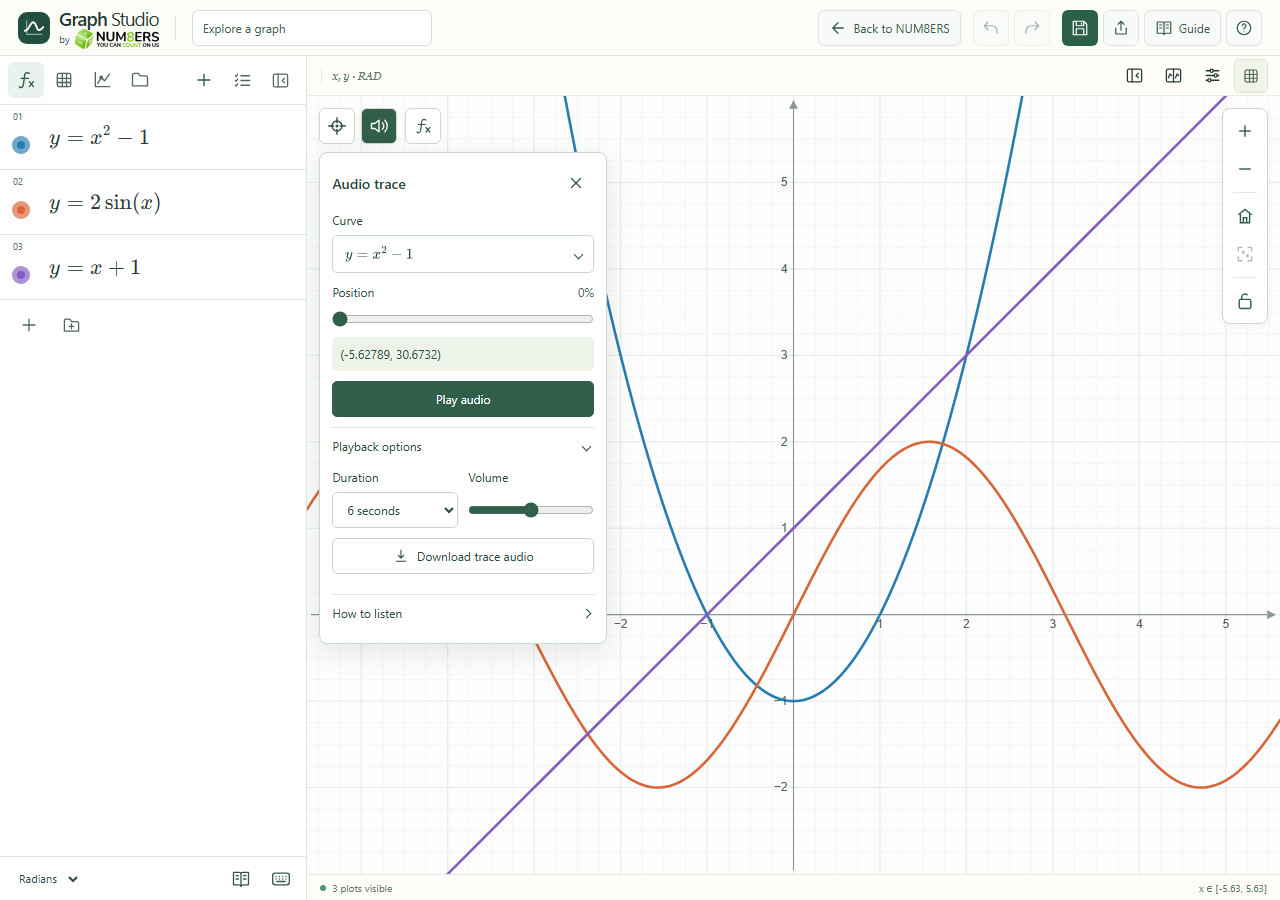 Audio trace offers a curve selector, position, playback duration and volume.Click to enlarge ↗
Try it step by step
- Choose the curve to hear.
- Move the Position control to inspect a sample.
- Choose Play audio; use Stop audio to end playback.
- Open Playback options for duration, volume and Download trace audio.
Options explained
- Pitch
- A higher y coordinate produces a higher pitch.
- Stereo position
- Tracks the x coordinate.
- Below-zero tone
- Uses a triangle tone for values below zero.
- Silence
- Undefined and off-screen samples are silent; gaps between disconnected branches remain silent.
- Curve types
- Explicit, parametric and polar curves are supported. Implicit, vertical and inequality-boundary tracing follows visible approximate contours.
- Duration / Volume
- Choose the sweep duration and a comfortable volume.
- Download
- Saves the generated audio for the selected trace.
- Keyboard
- Alt+T toggles Audio trace; Escape closes it.

