
Skip to guide content
Graph Studio by NUM8ERSStudent guideOpen calculator
LEARN · TRY · EXPLORE

Expressions & functions05 / 68

Functions, constants & angle mode

Define a reusable rule once, then evaluate or graph it in other rows.

Find it

Expressions; Radians / Degrees in the sidebar footer
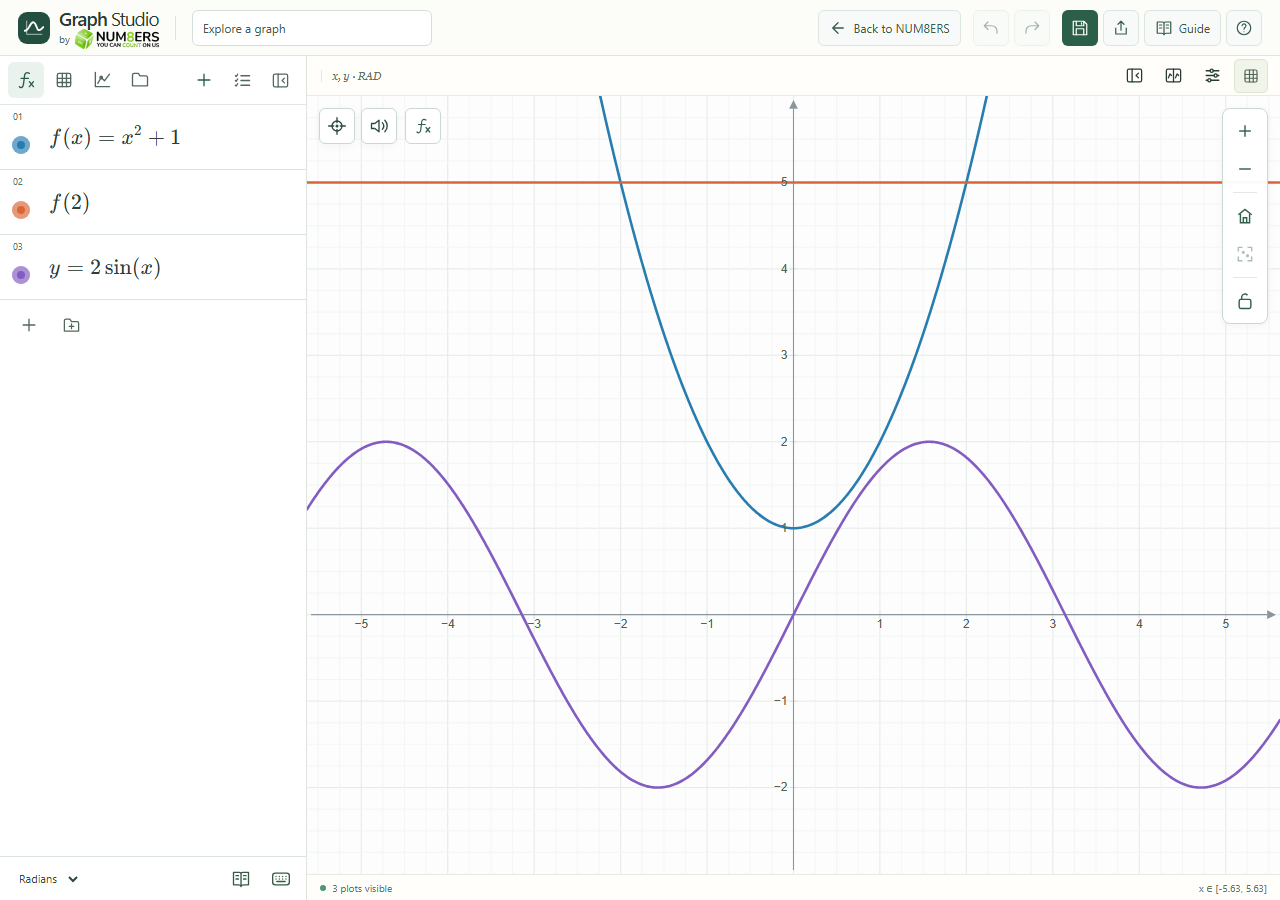
A named function, evaluation and sine curve in radians.
A named function, evaluation and sine curve in radians.Click to enlarge ↗

Try it step by step

  1. Define a function such as .
  2. Enter to calculate one value, or to draw the rule.
  3. For a function with several inputs, define each argument and provide a value for every argument when calling it.
  4. Choose the correct angle mode before interpreting trigonometric results.

Examples to try

Each card is one input. For definitions, enter the cards in order. Formula-only cards belong in the tool described above.

Define the rule.

Returns 5.

Define a two-input function.

Returns 25.

A wave of amplitude 2; use radians for the usual period of .

Options explained

Named functions
Definitions can use existing parameters and other supported functions. Changes propagate to dependent rows.
Multiple inputs
A rule such as can be evaluated at a pair of values or used in a relation.
Radians / Degrees
Controls trigonometric arguments and polar angles. Radians are usually the right choice for calculus formulas involving sine and cosine.
Constants
Use and e; i is the imaginary unit in complex calculations.
Function values
Named lambdas, aliases, composition and partial application are covered in Advanced functions.

Screenshot

Copy this text

Your browser could not copy automatically. Select and copy the text below.