
Skip to guide content
Graph Studio by NUM8ERSStudent guideOpen calculator
LEARN · TRY · EXPLORE

Expressions & functions07 / 68

Domains & parameter intervals

Use the right range for the right purpose: a slider changes a number, a curve interval limits a parameter, and graph bounds control the camera.

Find it

Expression row → Parameter interval; Graph settings → axis bounds
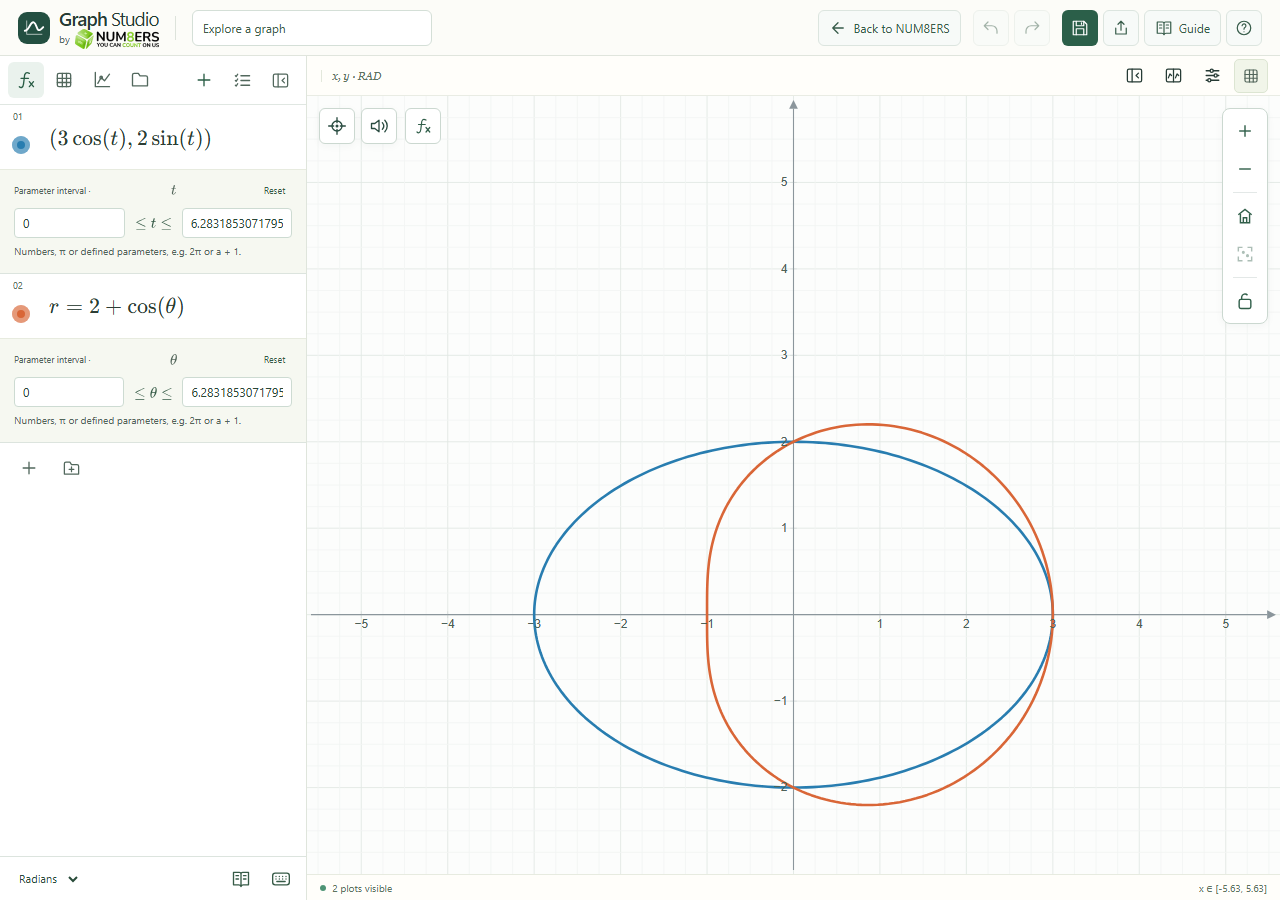
Parametric and polar expressions with their parameter intervals.
Parametric and polar expressions with their parameter intervals.Click to enlarge ↗

Try it step by step

  1. Enter a parametric or polar expression to reveal its interval controls.
  2. Set the lower and upper parameter limits. Use numbers, pi or defined parameters such as .
  3. For an ordinary function, add a condition in braces to restrict its domain.
  4. Use Graph settings when you only want to change the visible window.

Examples to try

Each card is one input. For definitions, enter the cards in order. Formula-only cards belong in the tool described above.

Draw only the part with x between 0 and 3.

A parametric ellipse. Set t from 0 to in radians.

Options explained

Parametric t interval
Limits the t values used to draw the curve. Use Reset to restore the default interval; the renderer chooses its sampling.
Polar angle interval
Limits the angle used by the polar expression. Its interpretation follows Degrees / Radians.
Reset / validation
Reset restores the curve interval. Incomplete or invalid endpoints show a message while the last valid interval stays plotted.
Expression restrictions
A condition such as limits where a relation is defined. Strict inequalities exclude endpoints.
Slider range
Minimum, Maximum and Step under a scalar assignment constrain that scalar; they do not crop every curve using x.
Graph bounds
Changing x/y minimum and maximum pans or zooms the visible window without rewriting expressions.

Screenshot

Copy this text

Your browser could not copy automatically. Select and copy the text below.