Explore the graph17 / 68
Select curves & keep labels
Select a curve to see its expression and coordinates, or keep a label beside it for a presentation.
Find itClick/tap a curve; Select curve (C)
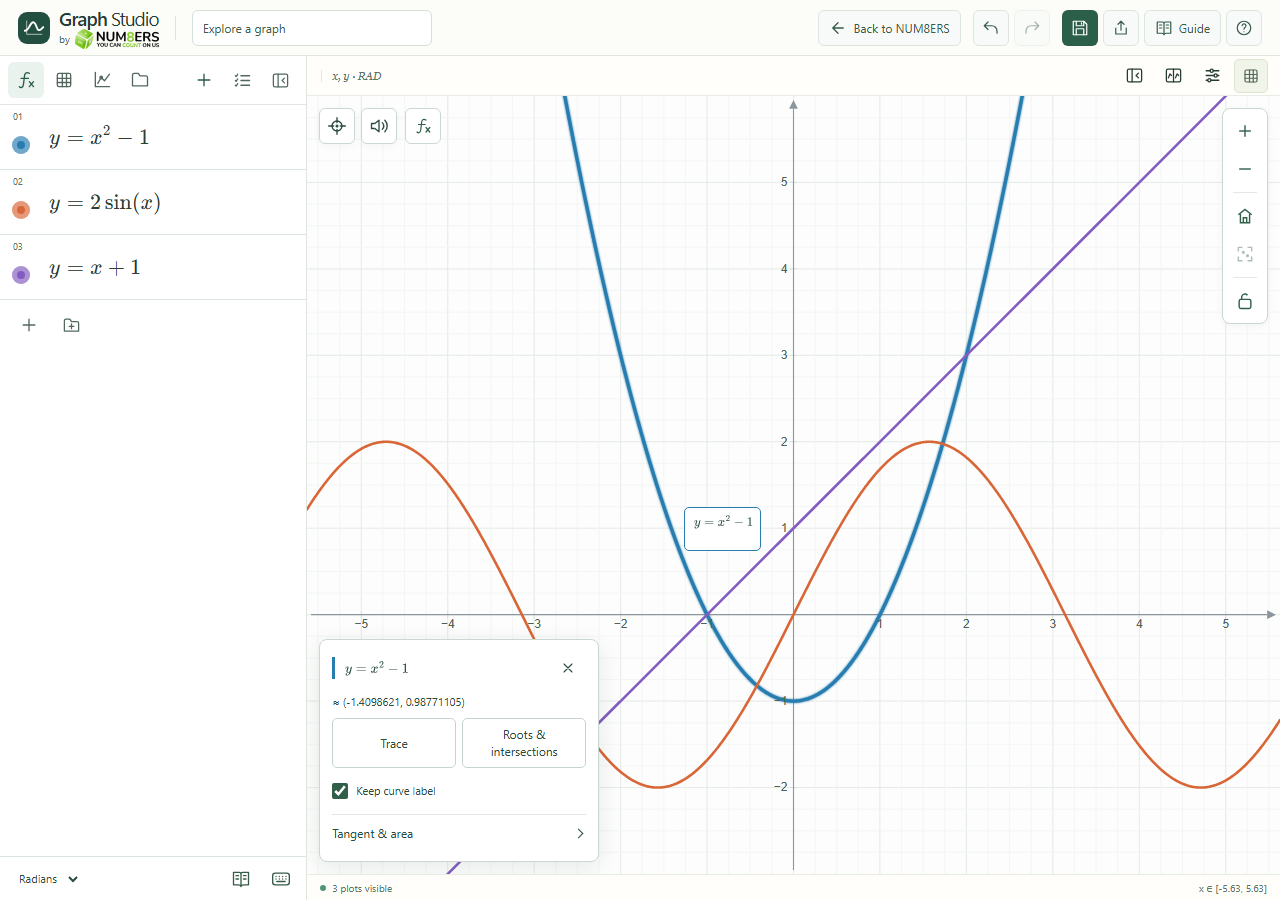 The selected curve is highlighted and its label can be kept with the graph.Click to enlarge ↗
Try it step by step
- Hover near a curve to see feedback, then click or tap to select it.
- If curves overlap, use Next curve. You can also choose one from Select a curve.
- Turn on Keep curve label to retain its expression label.
- Use Saved canvas items to remove a label later, including one whose source is hidden.
Options explained
- Selection feedback
- The chosen curve is emphasized. A clicked point is numerically refined when supported; hovering uses sampled geometry.
- Snap to curves
- Keeps exploration near plotted geometry. Hold Alt for free coordinates.
- Next curve
- Cycles through nearby overlapping choices.
- Keep curve label
- Saves a typeset label with the document and compatible exports. Up to eight labels can be kept.
- Source changed or hidden
- A saved label can temporarily disappear when the source changes, is hidden or has no room for placement. The saved item remains removable.
- Deselect
- Closes the inspector and clears unsaved previews.

