Start with the message closest to the input. “Undefined” is a reason to inspect the mathematics, not an instruction to use zero.
Find it
Expression diagnostics and tool status messages
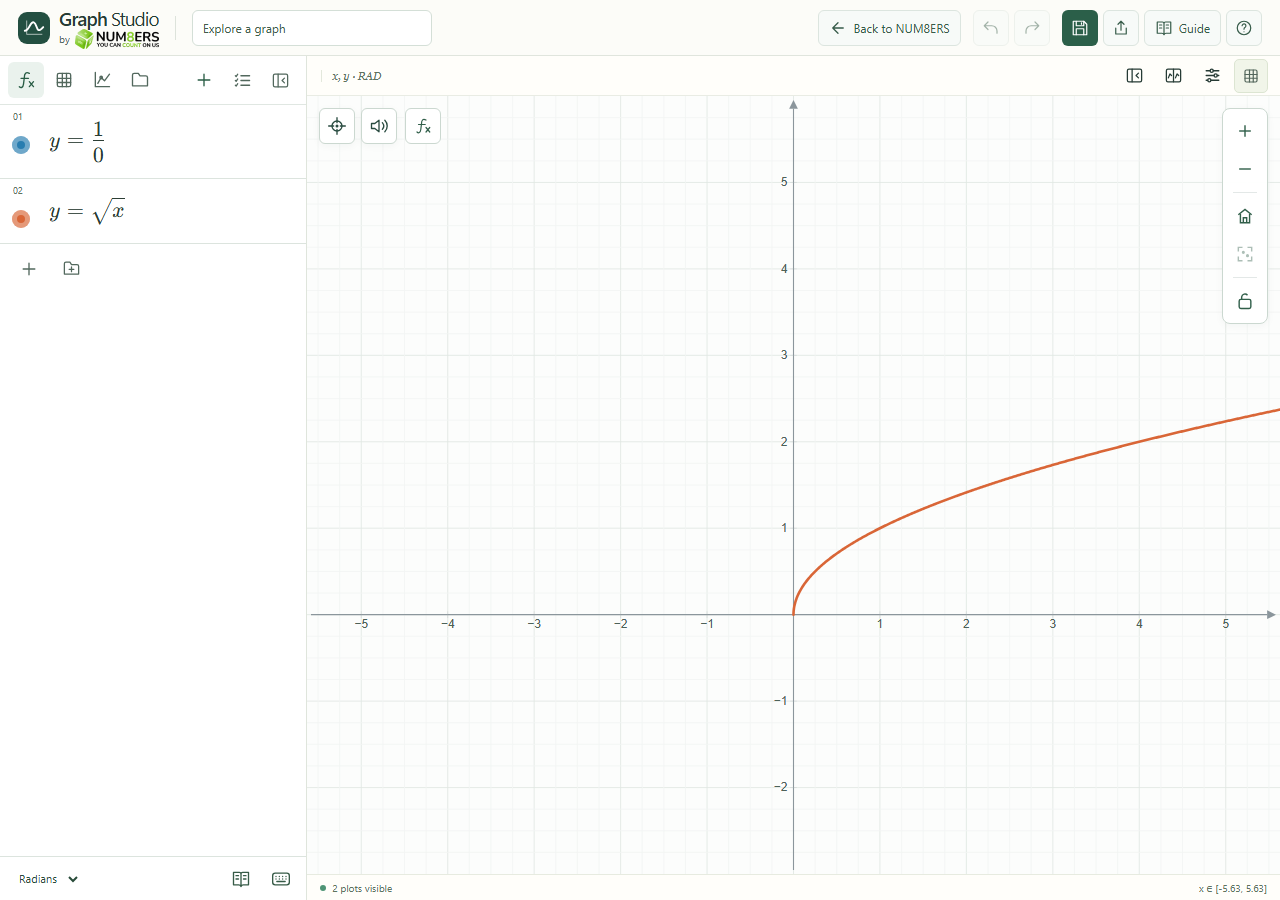
An invalid denominator produces a diagnostic while a valid square-root curve remains available.Click to enlarge ↗
Try it step by step
Check for an incomplete expression, unmatched brackets or a missing definition.
Check the domain and angle mode.
If a curve is missing, check visibility, the viewport and logarithmic-axis restrictions.
If a task reaches a work limit, simplify it or investigate a smaller interval.
Options explained
Division by zero / invalid domain
Change the evaluation point or restrict the domain. Real logarithms need positive inputs; real square roots need nonnegative inputs unless using supported complex calculations.
Undefined symbol / cycle
Define the missing name and remove conflicting or circular definitions.
Explain this error
Use the contextual explanation when available for a reason and possible correction.
No supported curve
The tool needs a compatible valid plotted expression. Select a different curve or fix its expression.
Missing labels
Check Show label, source visibility, label validity and available placement space. Saved curve labels may be hidden after source changes.
Stale export
Generate a new preview after changing export options; reopen the dialog to capture a newly edited document.
Storage / network
Read the save/sync message and keep a JSON copy before resolving a conflict or clearing data.
Loading failure
Use the displayed retry control. If application files were updated, refresh online and update the offline app.