Analyze & calculate36 / 68
Roots, slopes, area & extrema
The main Analyze tool works with explicit functions and a chosen finite interval.
Find itAnalyze → Analyze a function
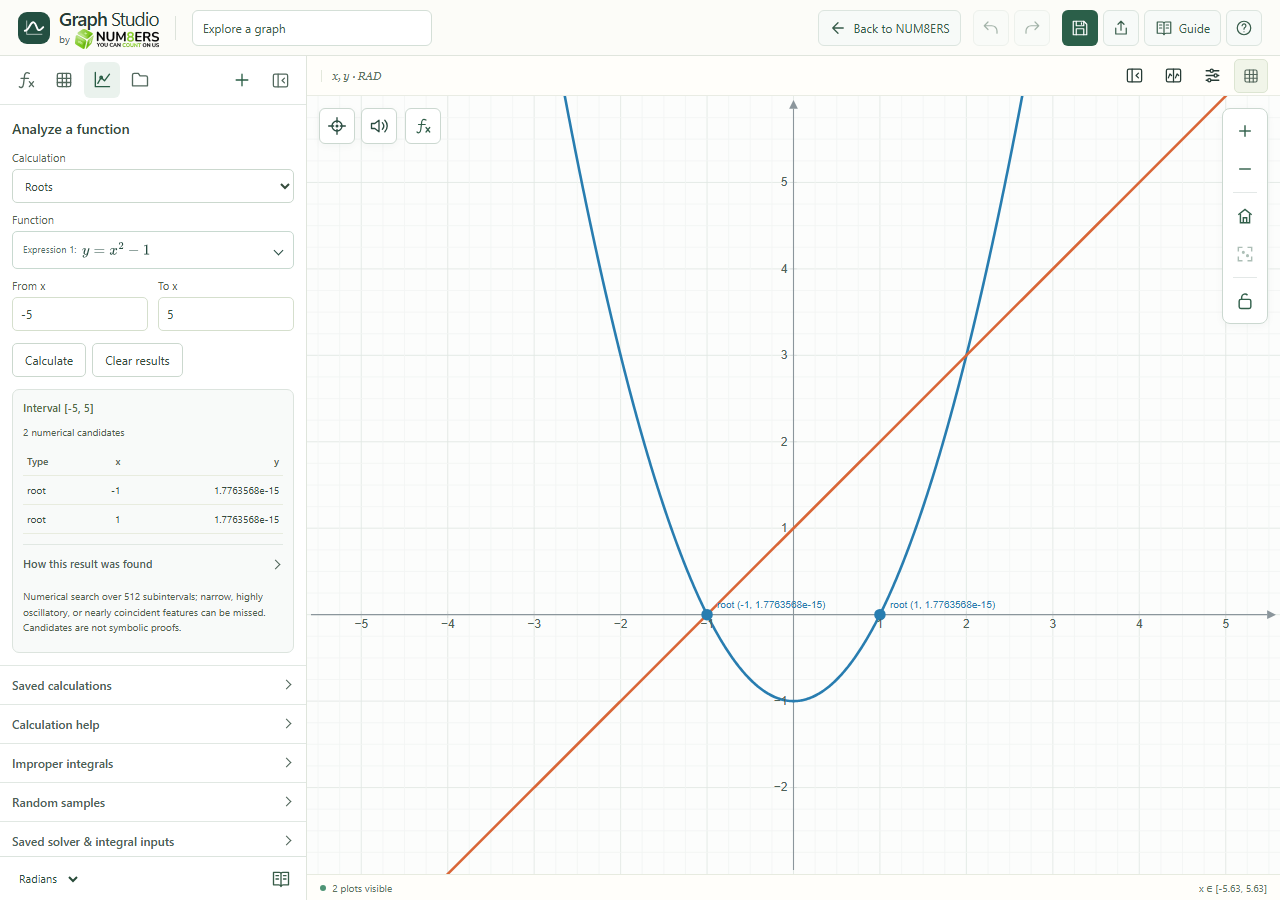 The Analyze panel searches a finite interval and displays roots of the selected function.Click to enlarge ↗
Try it step by step
- Choose a calculation and the function to analyze.
- Enter a point for a derivative, or From x and To x for an interval calculation.
- Choose a second function when calculating intersections.
- Press Calculate. Open How this result was found to read the method and inspect the graph markers.
Options explained
- Derivative at a point
- Estimates the slope at your x value. A corner, pole or undefined input can prevent a valid derivative.
- Definite integral
- Calculates signed area on a proper finite interval and reports a numerical error estimate when available.
- Roots
- Searches for zeros in the supplied interval.
- Extrema and endpoints
- Finds numerical extremum candidates and checks interval endpoints.
- Intersections
- Compares two explicit functions over the chosen interval. Use Intersections of any curve type for other kinds of curves.
- Clear results
- Removes current results and analysis markers. Editing a source or parameter also clears obsolete results.
- Saved calculations
- Name and save up to twelve setups, update or remove them, and press Calculate to recompute using current expressions.

