Create a table of values at evenly spaced inputs, useful for checking a graph or completing a worksheet.
Find it
Data → Function → table
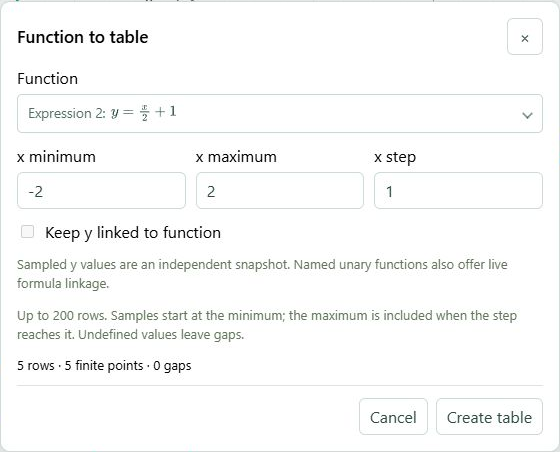
Function to table chooses a curve, finite range and sampling step.Click to enlarge ↗
Try it step by step
Choose an explicit function that is already in your expressions.
Set the start, end and step for the x values.
Review the resulting number of samples and validation messages.
Create the table and inspect its values in Data.
Options explained
Function to sample
The picker displays the available explicit functions as mathematical expressions.
Range / step
Use finite bounds and a positive spacing that fits the range.
Sample count
At most 200 function-table samples can be generated at once.
Undefined values
Check the source domain when a sample cannot be evaluated.
Keep y linked to function
With Keep y linked to function enabled for an eligible named function, the y column remains a formula. Turn it off for fixed sampled values. The option is unavailable when the selected source cannot be linked.