Accessible learning50 / 68
Keyboard & nonvisual access
You can explore supported graph data through keyboard controls, text descriptions, sound and Braille.
Find itAnalyze → Nonvisual graph explorer / Describe a visible curve
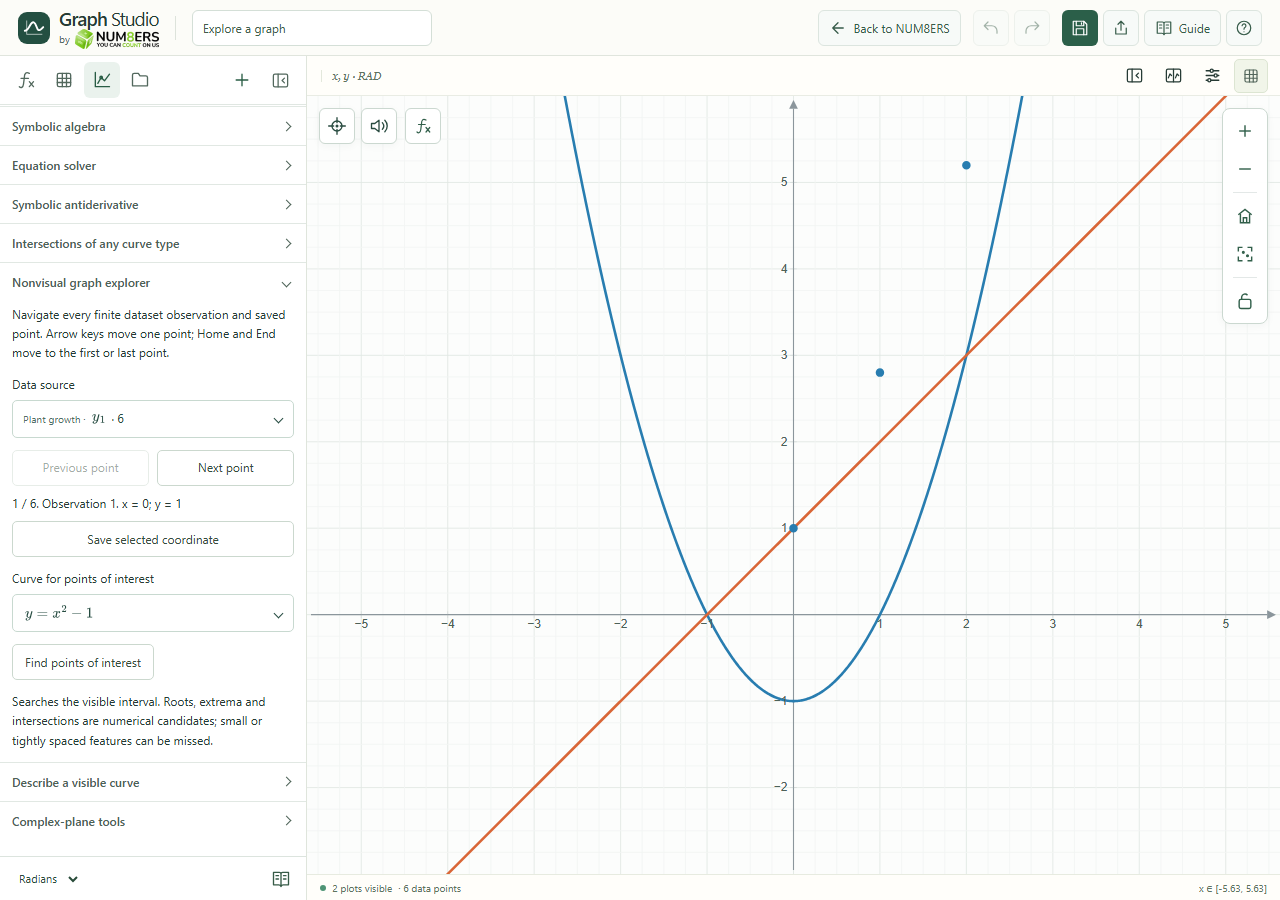 Nonvisual graph explorer expanded in the Analyze panel.Click to enlarge ↗
Try it step by step
- Choose a data source in Nonvisual graph explorer.
- Use Previous / Next, arrow keys, Home and End to navigate its finite observations.
- Save a selected coordinate when it matters to your work.
- Choose a curve and request points of interest or a text description of its visible samples.
Options explained
- All finite dataset observations
- The explorer can navigate the dataset even when the canvas limits the number of visible markers.
- Saved points
- Read coordinates and labels of visible saved points.
- Points of interest
- Search the visible interval for supported root, extremum and intersection candidates.
- Describe a visible curve
- Reports sampled ranges, evaluation information and up to twelve coordinates with Save point actions.
- Announcements
- Status messages and controls have accessible names. Use screen-reader navigation to reach sections and form labels.
- Sampling limitation
- A text description is an approximate overview. Neighboring samples can belong to different branches and do not prove connectivity.

