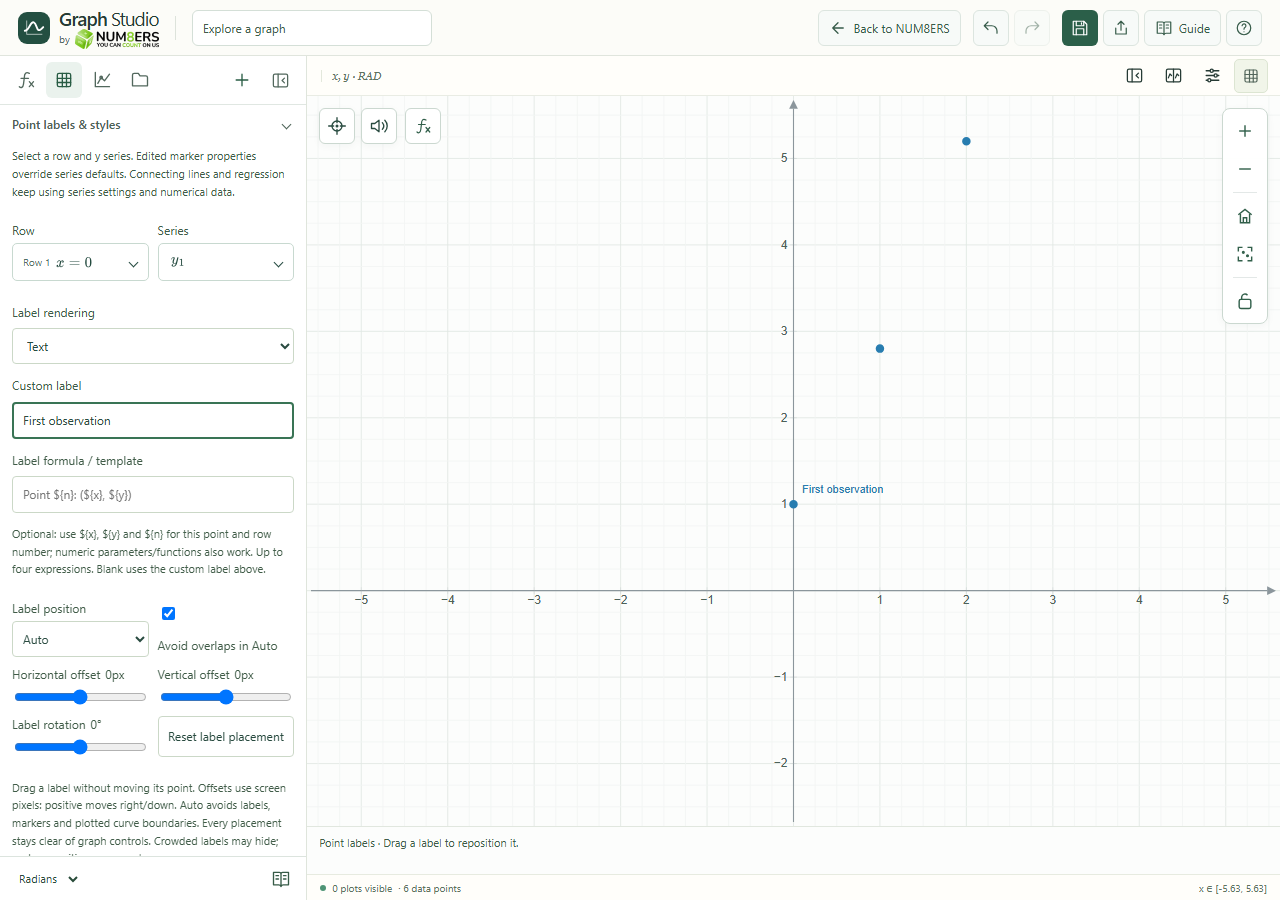
- Row / Series
- Choose the specific observation; large tables offer a row-number input.
- Custom label
- Text allows 80 characters; mathematical labels allow 512 characters of supported LaTeX without dollar delimiters.
- Template
- Use placeholders for x, y and row number, or supported numeric expressions. Up to four substitutions can be evaluated. A blank template uses the custom label.
- Position / overlaps
- Auto, above, below, left, right, diagonal positions or Custom. Auto can avoid overlaps; crowded labels may hide.
- Offsets / rotation
- Horizontal and vertical offsets are screen pixels, positive right/down. Rotation is clockwise from −180° to 180°. Reset label placement restores automatic placement.
- Font
- Sans serif, serif or monospace for text; math uses its own glyph font. Font size ranges from 9 to 32.
- Leader line
- Choose straight or curved, automatic obstacle routing or manual routing, and a bend for curved leaders. Blocked routes or unavoidable crossings are reported.
- Marker controls
- Show/hide marker, color, shape, size and opacity are independent of the label. Hidden markers remain in data, fits, connecting lines and Zoom Fit.
- Reset / clear
- Reset point appearance keeps label settings. Clear point label removes its custom text and template. JSON preserves the styles; CSV exports numeric values.