Expressions & functions06 / 68
Sliders & animation
A slider changes a number and shows how the graph responds. It is useful for investigating transformations.
Find itExpressions → a scalar definition such as
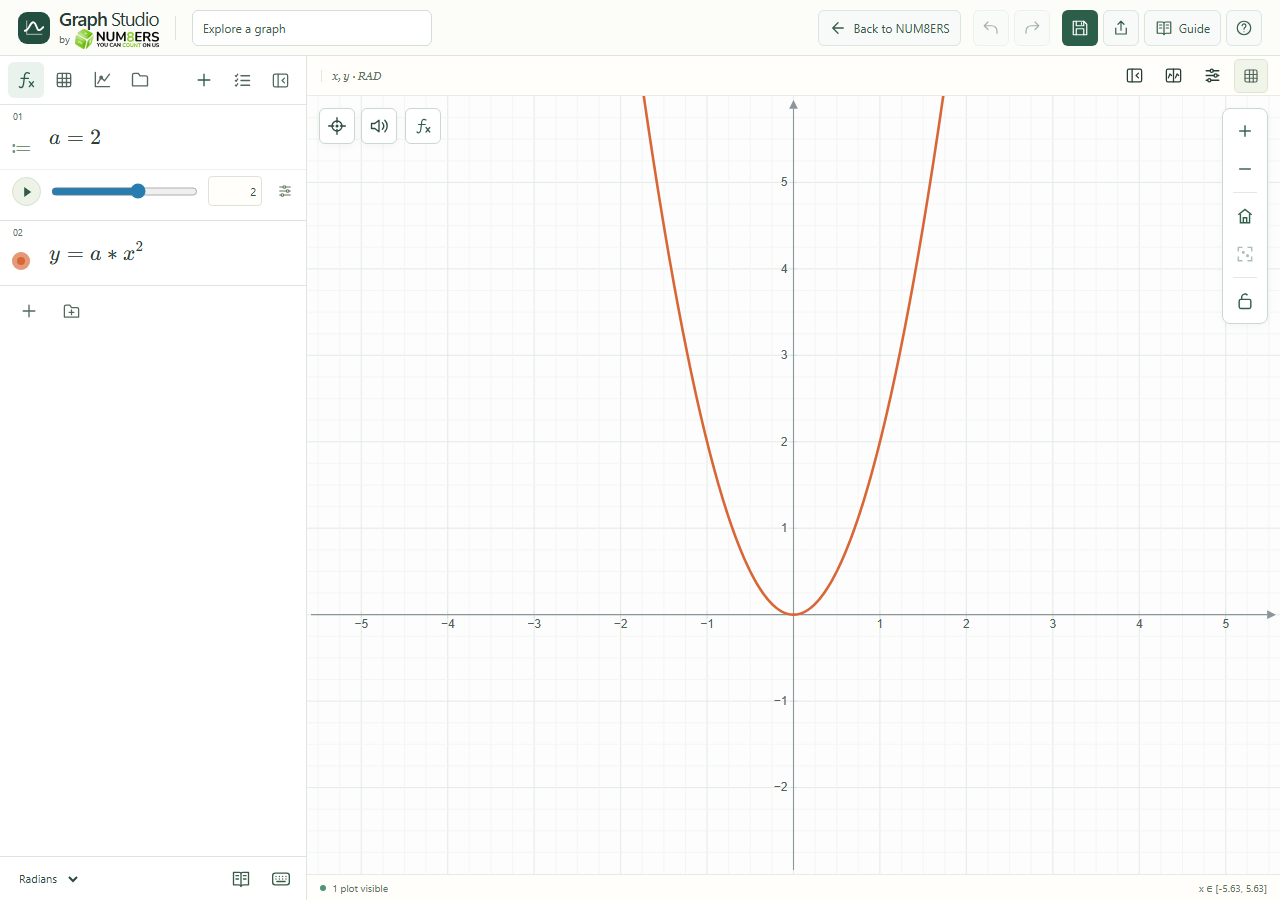 A parameter slider controls the shape of a parabola.Click to enlarge ↗
Try it step by step
- Enter , then in separate rows.
- Drag the slider or type a value in its number field.
- Set Minimum, Maximum and Step. Open Animation settings for the cycle duration.
- Press Animate to run the slider, Pause to stop it, or Pause animations in the header to stop all animations.
Examples to try
Each card is one input. For definitions, enter the cards in order. Formula-only cards belong in the tool described above.
Positive a opens upward; negative a opens downward.
Options explained
- Minimum / Maximum
- Set an increasing finite interval. These are the allowed parameter values, not the visible graph bounds.
- Step
- Sets the spacing of permitted values. Choose a positive step for predictable increments.
- Current value
- Type directly for an exact setting. Invalid or incomplete input is explained instead of silently changing the expression.
- Cycle (s)
- One animation cycle goes from the minimum to the maximum and back. Both endpoints are included.
- Coordinate constants
- Rows such as or can offer controls to move a vertical or horizontal line.
- Pause while editing
- Editing a slider field stops its animation so your input is stable.

