Expressions & functions15 / 68
Colors, styles & organization
Use color and line style to distinguish curves, then organize related expressions into folders.
Find itExpression row → palette; Expressions → Organize
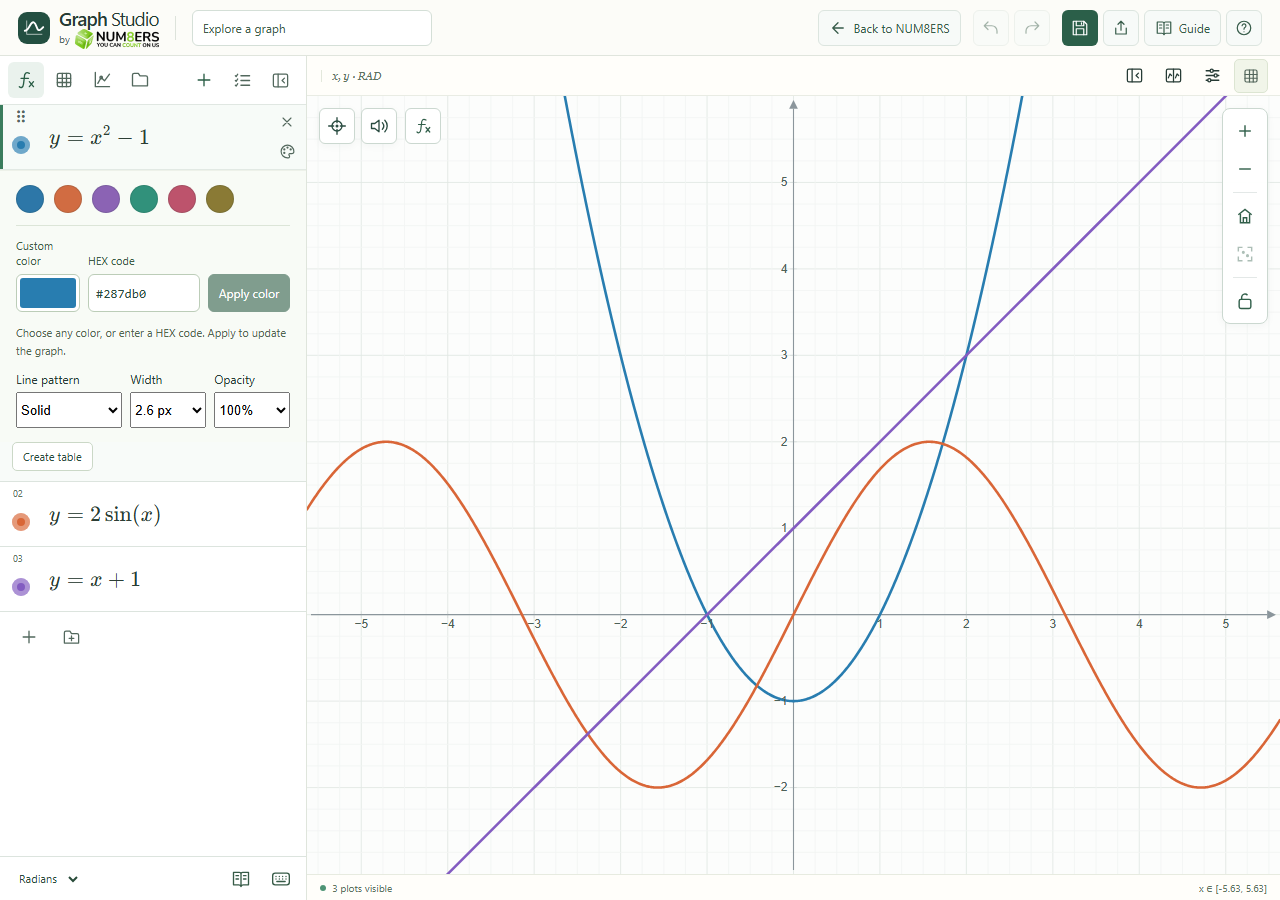 Expression styling with preset and custom colors.Click to enlarge ↗
Try it step by step
- Open the expression’s palette and choose a preset or custom color.
- Adjust its line width, dash pattern and opacity when needed.
- Open Organize to select several expressions, duplicate them or move them into a folder.
- Reorder rows using drag handles or the available move controls. Collapse folders to reduce clutter.
Options explained
- Custom color
- Use the color picker or hexadecimal color field. Check contrast against your graph background.
- Width / pattern / opacity
- Individual styling lets similar curves remain distinguishable. Global presentation settings can enforce a minimum thickness or palette.
- Folders
- Name folders, nest related folders, collapse them and organize expressions inside them.
- Bulk selection
- Select rows before applying a bulk action. Review the selected set before deleting.
- Duplicate
- Copies an expression so you can compare a variation; rename conflicting definitions if needed.
- Visibility
- Hide curves temporarily without removing their source.

