
Skip to guide content
Graph Studio by NUM8ERSStudent guideOpen calculator
LEARN · TRY · EXPLORE

Data & statistics29 / 68

Summaries & statistical plots

Summarize a series and inspect its distribution before choosing a model or a hypothesis test.

Find it

Data → table → Statistics & plots
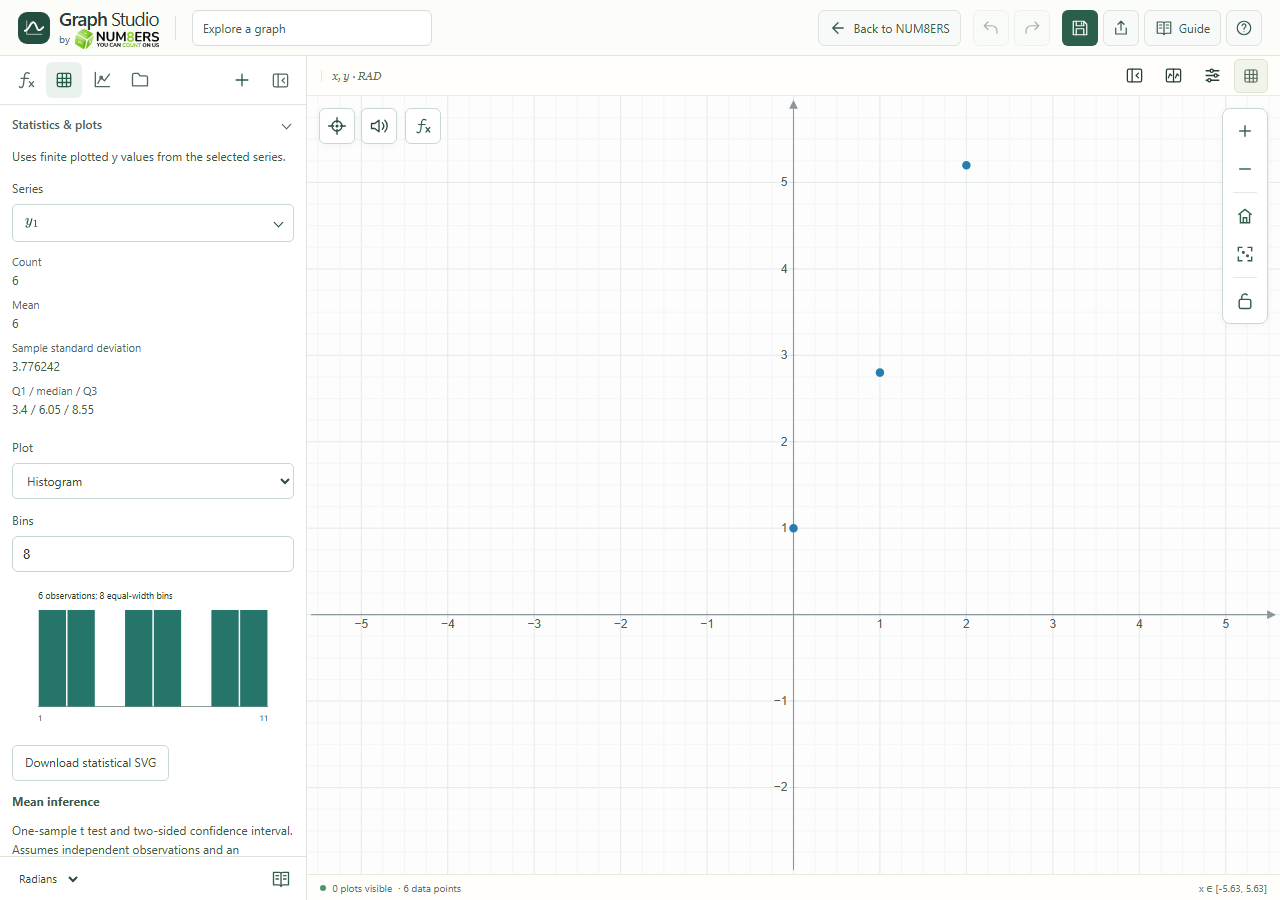
Statistics & plots for a demonstration data table.
Statistics & plots for a demonstration data table.Click to enlarge ↗

Try it step by step

  1. Select the series to summarize.
  2. Read the count, mean, sample standard deviation and quartiles.
  3. Choose a histogram, box plot or dot plot.
  4. Adjust histogram bins if needed, then download the statistical SVG when you want to keep the chart.

Examples to try

Each card is one input. For definitions, enter the cards in order. Formula-only cards belong in the tool described above.

Histogram with bin width 1.

A box plot centered at y = 2 with height 1. The median is 2, Q1 is 1 and Q3 is 3; whiskers extend to 0 and 4.

A simple dot plot.

Options explained

Finite values
Summaries use finite plotted y values from the selected series.
Histogram
Groups observations into bins; supports up to 100 bins. Bin choice changes the appearance, not the underlying values.
Box plot
Shows minimum, lower quartile, median, upper quartile and maximum, with min–max whiskers.
Dot plot
Displays individual observations; limited to 2,000 values.
Statistical SVG
Downloads this statistical chart independently of the main graph export.
Expression charts
histogram, boxplot and dotplot can also be entered as expression rows.

Screenshot

Copy this text

Your browser could not copy automatically. Select and copy the text below.