Graph settings47 / 68
Grid, arrows & polar guides
A quiet grid helps estimate coordinates without competing with the curves.
Find itGraph settings → Grid; graph toolbar → Grid
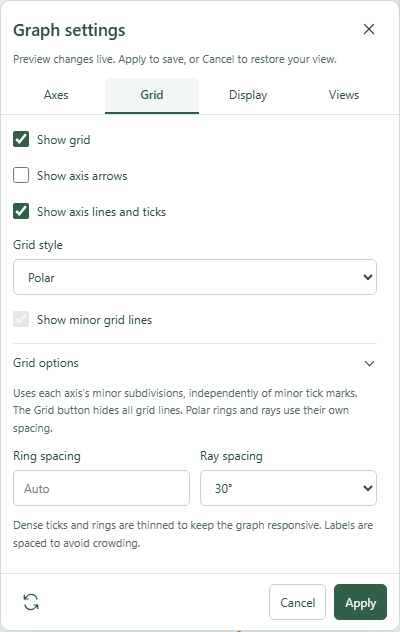 Graph settings: Grid with the relevant options expanded.Click to enlarge ↗
Try it step by step
- Choose whether to show the grid, axes and arrowheads.
- Select Cartesian or Polar grid style.
- Open Grid options for the available spacing and appearance controls.
- Apply your changes after checking the live preview.
Options explained
- Show grid
- Toggles background grid lines. The graph toolbar also offers this common control.
- Show axis arrows
- Adds or removes arrowheads.
- Show axis lines and ticks
- Controls axis strokes and tick marks separately from the background grid.
- Cartesian
- Uses horizontal and vertical grid lines and the configured axis spacing.
- Polar
- Uses rings and rays; unavailable with logarithmic axes.
- Show minor grid lines
- Adds finer Cartesian subdivisions. It is independent of major grid lines.
- Ring spacing
- Use Auto or a valid positive distance.
- Ray spacing
- Choose 15°, 30°, 45° or 90°.

