Explore the graph19 / 68
Tangent & area previews
Preview a slope or signed area directly from a selected curve, then save a numerical snapshot when you want to keep it.
Find itSelected curve → Tangent & area
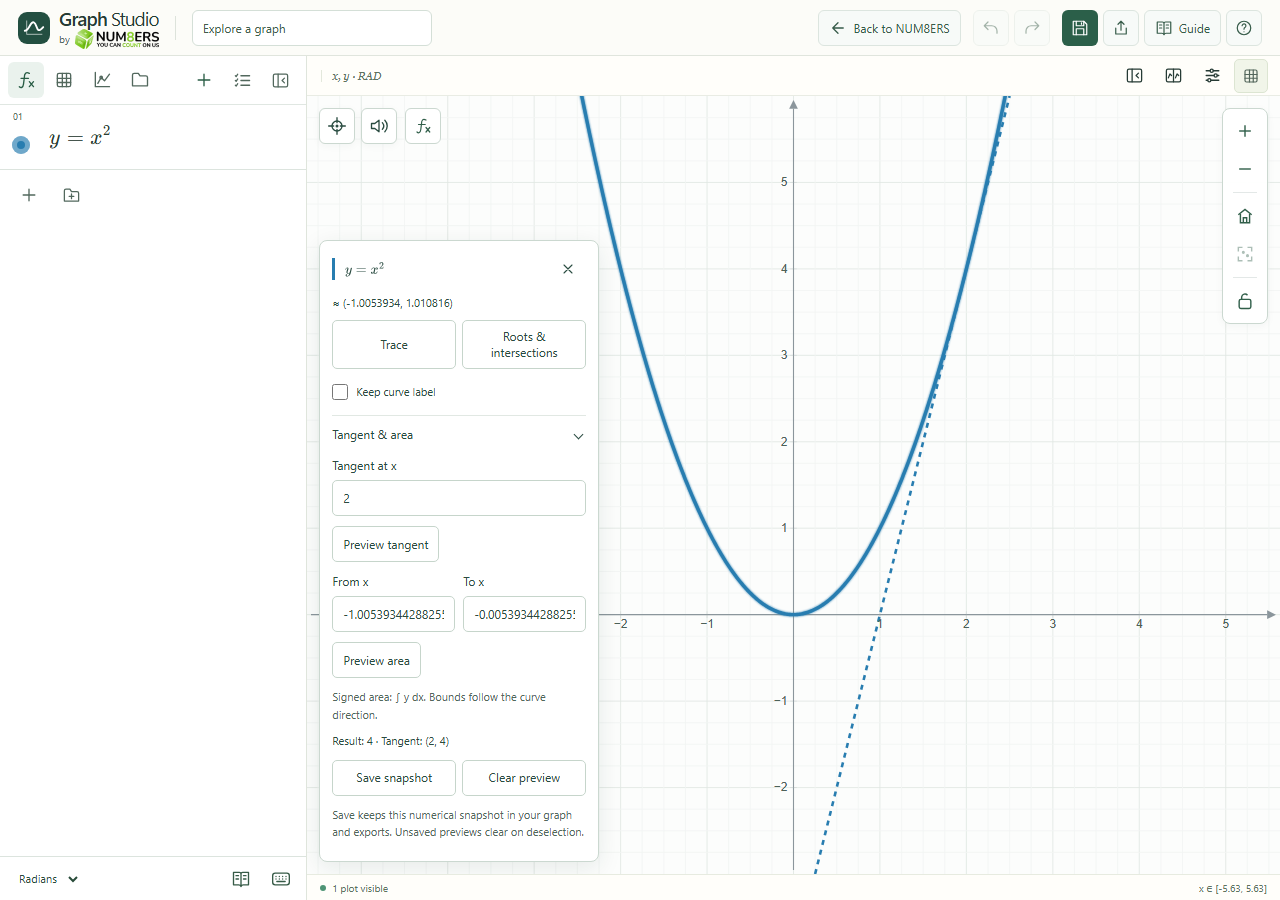 A tangent preview at x=2 on y=x², with controls to keep a numerical snapshot.Click to enlarge ↗
Try it step by step
- Select a supported curve and expand Tangent & area.
- Enter the x value or curve parameter for a tangent, then choose Preview tangent.
- For area, enter the lower and upper values and choose Preview area.
- Choose Save snapshot to retain the result in the graph, saves and exports.
Options explained
- Tangent
- Shows a numerical tangent at a regular point. Explicit, implicit, parametric and polar curves are supported, including regular vertical tangents.
- Area bounds
- For explicit and parametric curves the result is signed ∫y dx; polar sectors use ½∫(x dy−y dx). This is not a general implicit-region area tool.
- Clear preview
- Removes the current unsaved calculation from the canvas.
- Saved snapshots
- Up to sixteen numerical snapshots can travel with the document. Remove them through Saved canvas items.
- Frozen result
- A saved snapshot records numbers and geometry at that moment. Editing the source does not recalculate it.

