Export your work62 / 68
Export SVG, PNG & PDF
Create a clean graph for a worksheet, report or presentation. Keep JSON too if you want an editable backup.
Find itHeader → Export graph
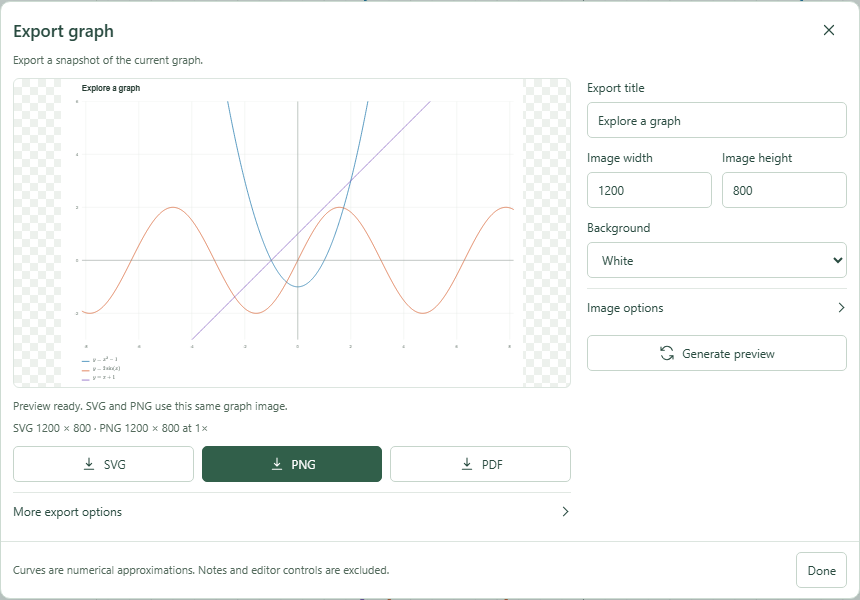 Export preview with SVG, PNG and PDF download actions.Click to enlarge ↗
Try it step by step
- Arrange the graph and labels as you want them to appear.
- Open Export graph to capture the current document and viewport.
- Adjust image options if needed, then choose Generate preview after changes.
- Download SVG, PNG or PDF. Use Done or the close button to return to the graph.
Options explained
- SVG
- Vector output that stays sharp when resized; suitable for diagrams and editing in compatible software.
- PNG
- A raster image useful for documents and slides. Choose 1× or 2× scale in image options.
- PDF
- A vector graph with a selectable LaTeX appendix. Mathematical drawing outlines are not guaranteed to copy as arbitrary glyph text.
- Preview
- Downloads use the prepared export. Changing options requires a fresh preview before download.
- Frozen source
- The export captures the graph as it was when the dialog opened. Close and reopen to capture later edits.
- Copy image
- Under More export options; availability depends on browser clipboard support.

