Graph settings46 / 68
Axes, ranges & logarithms
Choose a useful viewing window and label its units so a reader understands what the coordinates mean.
Find itGraph settings → Axes
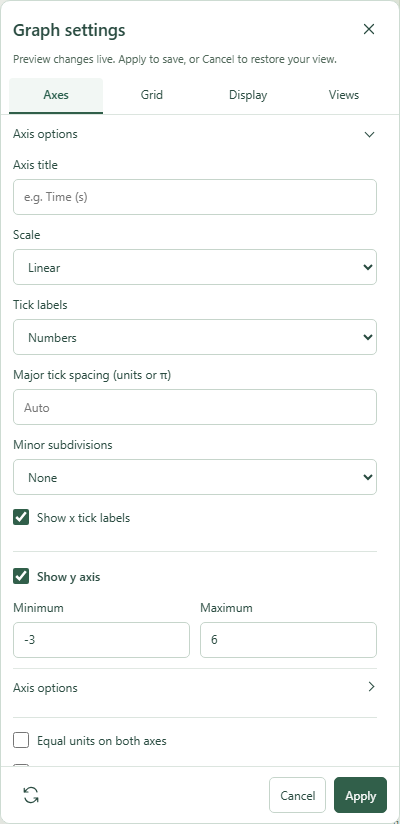 Graph settings: Axes with the relevant options expanded.Click to enlarge ↗
Try it step by step
- Set the minimum and maximum for x and y.
- Expand Axis options to edit an axis title, scale and tick settings.
- Use Equal units when equal distances should look equal on both axes.
- Choose Apply to keep the changes, or Cancel to restore the previous view.
Options explained
- Show x / y axis
- Control each axis independently.
- Minimum / Maximum
- Set increasing finite bounds. Logarithmic axes require positive bounds within the supported range.
- Axis title
- A short plain-text label such as Time (s), up to 80 characters.
- Scale
- Linear or logarithmic base 10, independently for x and y. Nonpositive coordinates are not visible on log axes.
- Tick labels
- Choose numbers or multiples for linear axes.
- Major tick spacing
- Leave blank for Auto, or supply a supported number/ spacing. On log axes spacing is measured in decades.
- Minor subdivisions
- Choose none or 1–9 subdivisions between major ticks.
- Show tick labels
- Control the numbers on each axis independently.
- Equal units / Lock viewport
- Equal units is available for linear axes. Lock viewport prevents accidental camera movement.

