Save, share & settings54 / 68
Portable JSON & backups
Graph JSON is the editable document format. Use it when you want a backup that can be reopened and changed.
Find itLibrary → Export JSON / Download JSON / Import / export JSON
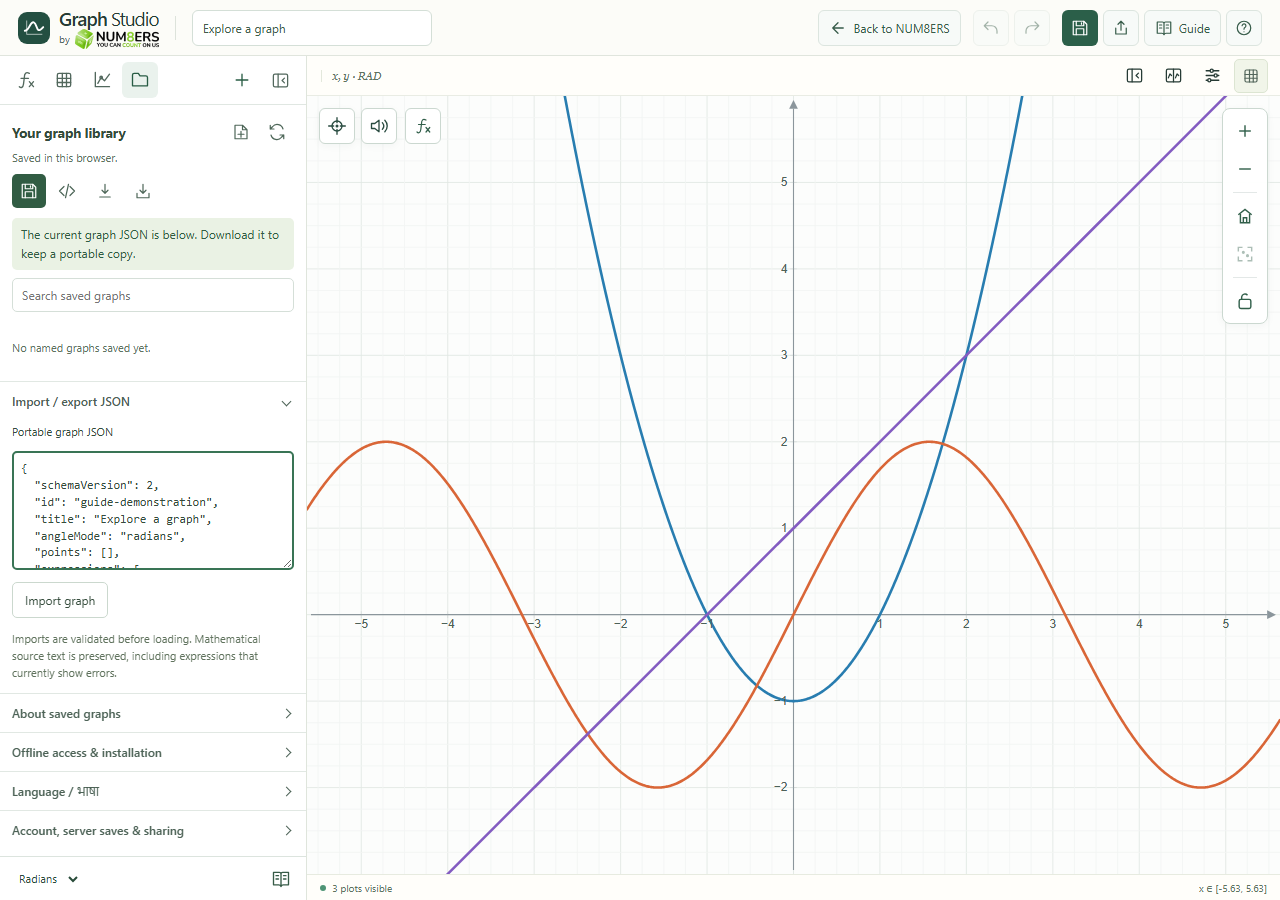 Portable graph JSON can be inspected, downloaded and imported from the Library.Click to enlarge ↗
Try it step by step
- Choose Export JSON to inspect the portable document, or Download JSON to save a file.
- Keep that file somewhere you can find later.
- To restore it, choose a JSON file or paste its contents into Portable graph JSON.
- Select Import graph and check the loaded title and content.
Options explained
- Editable contents
- Includes expressions, tables, settings and supported objects, labels, snapshots and saved setups.
- Validation
- Imports are checked before loading. Invalid JSON reports an error and leaves the current graph available.
- Source preservation
- Mathematical source is retained, including expressions that currently have calculation errors.
- Size
- Portable JSON is limited to one million characters and must respect individual document limits.
- Image versus document
- PNG, SVG and PDF are presentation outputs. JSON is the format to use for restoring editable work.
- Account backup operations
- Server database backup/restore is an administrator operation, not a student button. Students should keep JSON copies of important graphs.

